To your eyes, the house is dark and quiet.
To your electricity meter, the house is still wide awake.
Across the globe, homes are bleeding power. It happens behind entertainment centers, inside kitchen cabinets, and along bedroom walls. This silent thief has a name: phantom load, or vampire power.
It is the electricity that electronic devices consume 24 hours a day, 7 days a week, simply by being plugged into a wall outlet. Even when they are switched off.
Left unchecked, this invisible waste accounts for a staggering chunk of your annual utility bills. But you do not have to live with it.
Here is how to hunt down these quiet energy drains and take back control of your power usage.
What Is Phantom Power?
Think about how modern electronics work.
A television is never truly off. It sits in a constant state of readiness, waiting for an infrared signal from your remote control to wake up.
Your microwave clock glows steadily in the dark. Your wireless router beams out a signal even while you sleep. Your phone charger sits plugged into the wall, waiting for a device to connect, slowly converting AC power to DC power and radiating it as heat.
This continuous draw is called standby power.
Multiply that single watt by every appliance, charger, and entertainment box in your home. Then multiply it across every hour of the year.
According to global energy studies, standby power accounts for roughly 5% to 10% of total residential electricity consumption. For the average household, that translates to dozens of currency units—and tons of carbon emissions—wasted every single year for absolutely zero benefit.
The Worst Offenders in Your Home
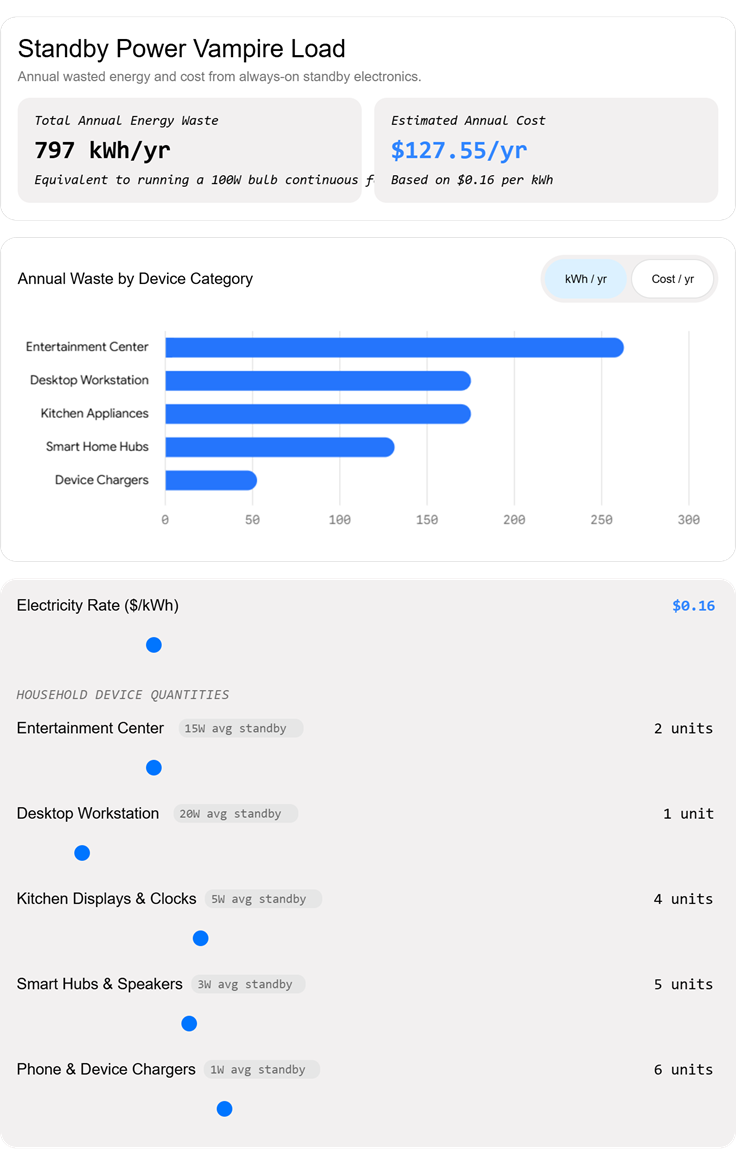
Not all electronics are created equal. Some devices sip power quietly, while others gulp it down in massive quantities.
When you start your hunt, target these major culprits first:
1. Entertainment Centers
Your television, game consoles, streaming boxes, and audio receivers form a heavy-duty cluster of standby consumption. Modern gaming consoles, in particular, often feature "instant-on" modes that keep internal processors warm and network cards active. That convenience costs you power around the clock.
2. Kitchen Appliances
Microwaves, coffee makers, and smart ovens all feature digital displays and internal clocks. While a single clock screen uses very little wattage, appliances with connected Wi-Fi features or touch panels draw significantly more standby current.
3. Desktop Workstations
Desktop computers, external monitors, laser printers, and external hard drives draw substantial power even when they are shut down. Peripherals connected via USB ports often continue receiving power long after the main computer goes to sleep.
4. Climate Control and Smart Home Hubs
Smart speakers, security camera base stations, and automated thermostats need to stay connected to your Wi-Fi network. While their low-power chips are efficient, having dozens of them scattered around a large home adds up.
Step 1: The Detective Work
You cannot fix what you do not measure.
To track down your household phantom loads, look past the obvious devices and search for clues:
- Feel for Heat: Touch the brick of a power adapter or the casing of a set-top box that has been "off" for hours. If it feels warm to the touch, it is consuming electricity and converting it into heat.
- Look for Lights: Glowing LEDs, standby indicator lights, and digital clocks are dead giveaways that a circuit is live and drawing current.
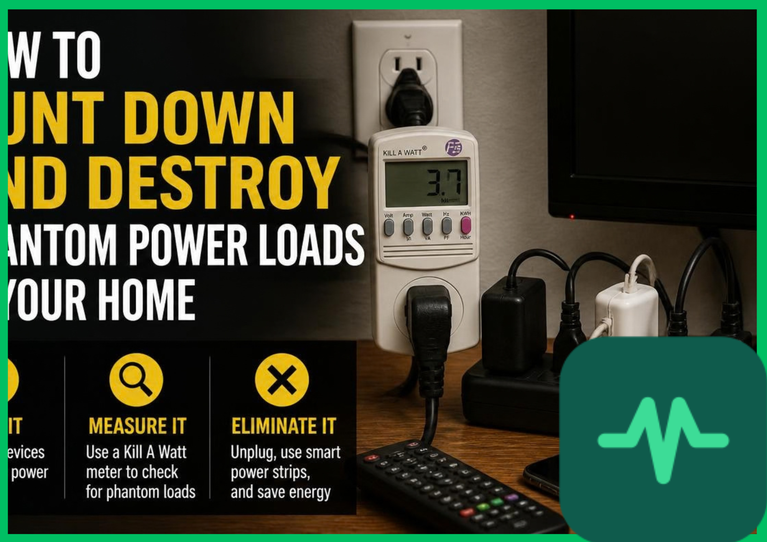
- Use a Plug-In Watt Meter: Invest in an inexpensive electricity monitor that plugs directly into the wall, allowing you to plug any appliance into it. This tool displays the exact wattage a device pulls when it is turned off. You might be shocked to discover that certain devices draw 10 to 15 watts of power while doing nothing at all.
Step 2: Practical Solutions to Stop the Drain
Once you know where your power is going, you can cut the line. You do not need to live like a hermit or unplug your refrigerator. You just need smarter habits and better hardware.
Upgrade to Smart Power Strips
Traditional power strips let you turn off multiple devices at once, but advanced smart power strips do the heavy lifting for you.
These strips feature a "control" outlet. When you turn off your television (the control device), the strip automatically cuts power to your peripheral speakers, gaming consoles, and streaming boxes. No standby power can leak through when the circuit is physically broken.
Embrace the Master Switch Routine
For chargers and appliances you use infrequently—like guest room electronics, blenders, or workshop tools—plug them into a simple switched power strip. Flip the switch to the "off" position when you finish using them.
Unplug Task Chargers
Phone chargers, laptop bricks, and electric toothbrush bases draw power whenever they are plugged in, regardless of whether a device is attached. Make it a habit to unplug chargers when your devices reach full capacity.
The Bigger Picture
Hunting down phantom loads is about more than just saving a bit of money on your monthly utility bill.
It is about shifting your relationship with energy.
When you eliminate waste at the socket, you reduce the strain on global power grids. You lower fossil fuel consumption. You prove that energy efficiency does not require dramatic sacrifices—it simply requires awareness.
Take an hour this weekend. Walk through your home with fresh eyes. Unplug the vampires, flip the switches, and watch your baseline energy usage drop.


Comments (0)
Login to leave a comment.
No comments yet. Be the first to share your thoughts!